

SDKs
LicenseSeat has SDKs for popular platforms to make integration with your app fast and secure.
Available SDKs
| Platform | Package | Stable version | Platforms and integrations |
|---|---|---|---|
| Swift | licenseseat-swift |
0.4.2 | macOS, iOS, tvOS, watchOS, visionOS, Linux |
| JavaScript/TypeScript | @licenseseat/js |
0.5.0 | Browsers, Node.js 18+, Electron, TypeScript |
| C# | LicenseSeat / com.licenseseat.sdk |
0.5.0 | .NET Standard 2.0, Godot 4, Unity 2021.3+ package |
| C++ | licenseseat |
0.6.0 | Native apps, Unreal Engine, VST/AU plugins |
| Rust | licenseseat + tauri-plugin-licenseseat |
0.6.0 | Native Rust and Tauri v2 with JS/TS bindings |
First things first: create a license activation window
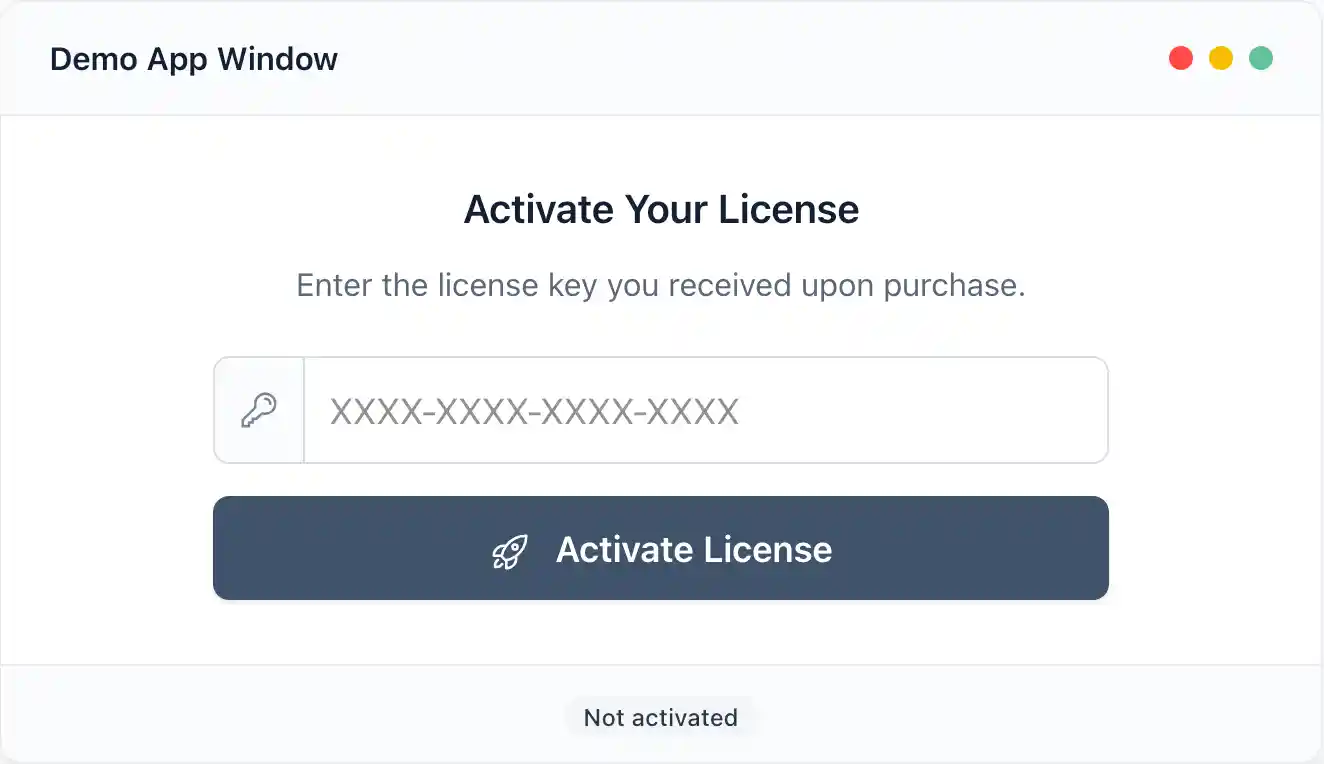
When integrating with the LicenseSeat SDK, you should create your own UI / window for users to input the license, so you can design it to match the rest of your app. It should be pretty straightforward: just a text input box and a button you can connect to the SDK actions:
Then, add the LicenseSeat SDK to your app
Adding the LicenseSeat SDK to your app is very easy and take just a few lines of code.
The SDKs use similar lifecycle concepts. In JavaScript, for example, import the package:
import LicenseSeat from '@licenseseat/js';Then just initialize the LicenseSeat object with your API Key (you can get it in your LicenseSeat dashboard) and your product slug:
const sdk = new LicenseSeat({
  apiKey: 'pk_live_xxxxxxxxxxxxxxxxxxxxx',
  productSlug: 'my-product'
});
And then you can just wire your UI to any of the methods the SDK give you:
await sdk.activate('TEST-XXXX-XXXX-XXXX');On top of this, the SDK will do periodic checks in the background to ensure the license is active (so if you revoke it manually via the LicenseSeat dashboard, it actually stops working for the user).
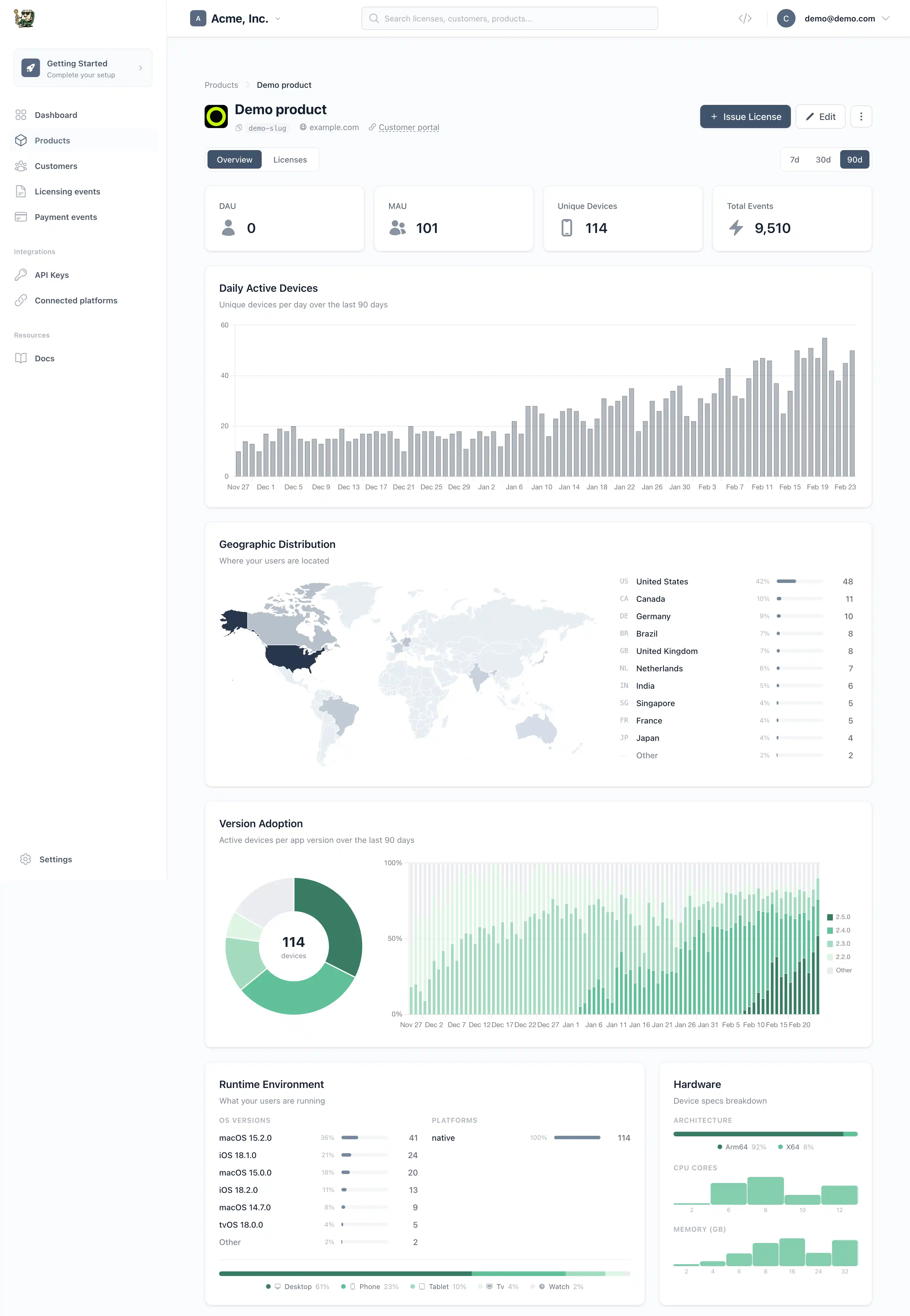
Supported SDKs can attach optional, bounded telemetry according to their version and configuration, so you can track product usage and environment analytics in the dashboard:
SDK features
The current SDKs share these broad capabilities; consult each SDK page for the exact shipped surface and defaults:
- License Operations: Activation, deactivation, online/offline validation
- Offline Support: Signed offline artifacts, clock tamper detection, and a gradual transition toward machine-file-first offline validation
- Entitlements: Check specific features access each license may give access to, with expiration support
- Resilience: Automatic retries, network monitoring, background re-validation
- Heartbeat: Standalone 5-minute heartbeat for device liveness detection
- Telemetry: Configurable SDK, OS, runtime, device, and app enrichment where supported
- Events: Subscribe to license lifecycle events
- Security: Credential-in-body routes, strict identity/signature checks, bounded transport/parsing, and fail-closed authorization behavior
Each SDK also includes platform-native integrations (SwiftUI for Swift, React/Vue examples for JS, Unity/Godot for C#, Unreal/JUCE for C++, Tauri v2 for Rust).
Offline model note: the API and newest SDK work converge on machine files as the preferred offline artifact because they are encrypted, activation-bound, and fingerprint-bound. Some older SDKs still use signed offline tokens today; their individual docs call that out explicitly instead of pretending every SDK has already migrated.
Entitlements
Entitlements are feature flags attached to licenses. Use them to:
- Gate premium features
- Implement tiered pricing
- Control feature access per license
License: "XXXX-YYYY-ZZZZ"
├── Entitlement: "pro-features" (active)
├── Entitlement: "api-access" (active, expires: 2025-12-31)
└── Entitlement: "updates" (inactive)
See Entitlements for setup instructions and best practices.
Common configuration
All SDKs accept similar configuration options:
| Option | Description | Default |
|---|---|---|
apiKey |
Your publishable API key | Required |
productSlug |
Your product identifier | Required |
apiBaseUrl |
API endpoint | https://licenseseat.com/api/v1 |
autoValidateInterval |
Background re-validation interval | 1 hour |
heartbeatInterval |
Standalone heartbeat interval | 5 minutes |
appVersion |
Your app version (for telemetry) | Auto-detected or null |
appBuild |
Your app build number (for telemetry) | Auto-detected or null |
maxRetries |
Retry attempts for failed requests | 3 |
maxOfflineDays |
Optional local offline-age policy; the meaning of 0 differs by SDK, so read the SDK-specific table |
SDK-specific |
deviceId |
Custom device ID | Auto-generated |
debug |
Enable debug logging | false |
Option names and defaults vary by language. Read the exact configuration table for the SDK and version you ship.
Security Features
Across the released SDK family, security controls include strict signature and identity validation, bounded transport and parsing, authoritative online denials, and platform-appropriate persistence where implemented. These details are not uniform: C# 0.5.0, for example, keeps its offline token cache in process memory only, while Swift protects persisted Apple-platform state in Keychain.
Use only restricted publishable client credentials, assume embedded credentials can be extracted, and keep license keys out of URLs and logs. Local client state is never equivalent to server trust, and no SDK can defend authorization from an attacker who controls the host process.